
Classic ASP FormatNumber 함수 – 천 단위 콤마 표시하기
금액(숫자)을 웹 페이지에 표시할 때 천 단위 콤마로 표시하는 게 가독성이 좋습니다. 그럴 경우에 Classic ASP에서 제공하는 FormatNumber 함수를 사용하시면 됩니다. 그리고 FormatNumber 함수는 반올림할 때에도 자주 사용하는 함수입니다. 그럼 FormatNumber 함수에 대해서 알아보죠.
FormatNumber 함수 (마이크로소프트 문서)
☞ 숫자 형식의 표현식을 반환합니다.
구문
FormatNumber(Expression, [ NumDigitsAfterDecimal, [ IncludeLeadingDigit, [ UseParensForNegativeNumbers, [ GroupDigits ]]]])
| 인수 | 설명 |
|---|---|
| Expression | Required. Expression to be formatted. |
| NumDigitsAfterDecimal | Optional. Numeric value indicating how many places to the right of the decimal are displayed. Default value is -1, which indicates that the computer’s regional settings are used. |
| IncludeLeadingDigit | Optional. Tristate constant that indicates whether or not a leading zero is displayed for fractional values. See Settings section for values. |
| UseParensForNegativeNumbers | Optional. Tristate constant that indicates whether or not to place negative values within parentheses. See Settings section for values. |
| GroupDigits | Optional. Tristate constant that indicates whether or not numbers are grouped by using the group delimiter specified in the computer’s regional settings. See Settings section for values. |
☞ FormatNumber(숫자, [소수점 자리])
사용 예제
1. 소스 코드
<%
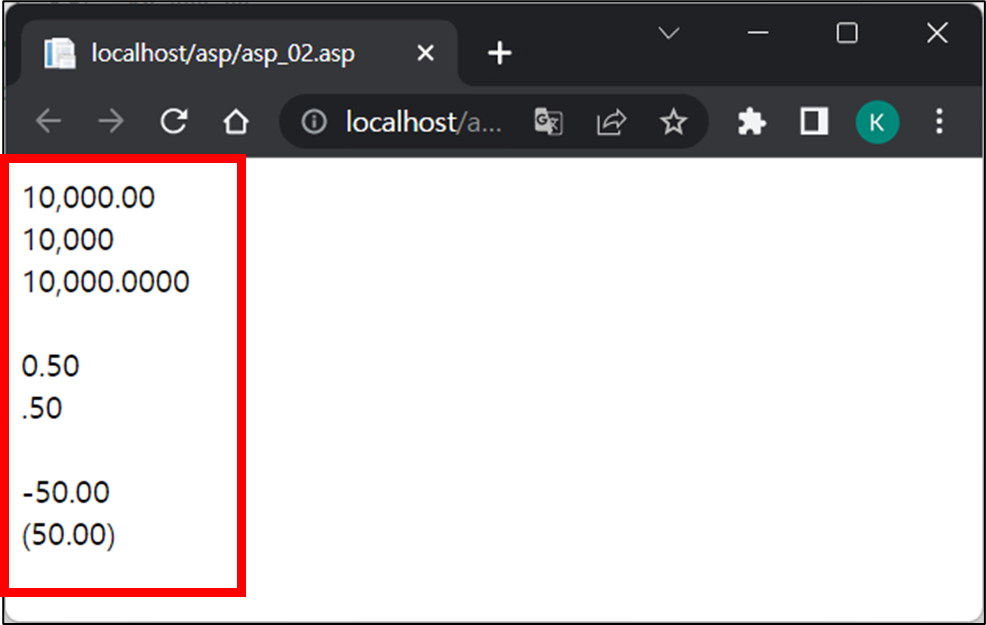
    Response.write FormatNumber(10000) & "<br>"   ' 출력 : 10,000.00
    Response.write FormatNumber(10000, 0) & "<br>"   ' 출력 : 10,000
    Response.write FormatNumber(10000, 4) & "<br><br>"   ' 출력 : 10,000.0000

    Response.write FormatNumber(0.5) & "<br>"   ' 출력 : 0.50
    Response.write FormatNumber(0.5, , 0) & "<br><br>"   ' 출력 : .50

    Response.write FormatNumber(-50) & "<br>"   ' 출력 : -50.00
    Response.write FormatNumber(-50, , , -1) & "<br><br>"   ' 출력 : (50.00)
%>
2. 실행 결과
함께 보면 좋은 게시글
- FormatDateTime 함수 – Classic ASP 언어 (11)
- Classic ASP 반올림, 내림, 올림 처리 – FormatNumber 함수
- 문자열 함수 – Classic ASP 언어 (2)
- Classic ASP에서 FileSystemObject를 이용한 로그 파일 작성하기
- Classic ASP MSSQL DB 연결 방법 (ODBC 32비트 이용)
이 글이 도움이 되셨다면 공유 부탁 드립니다.